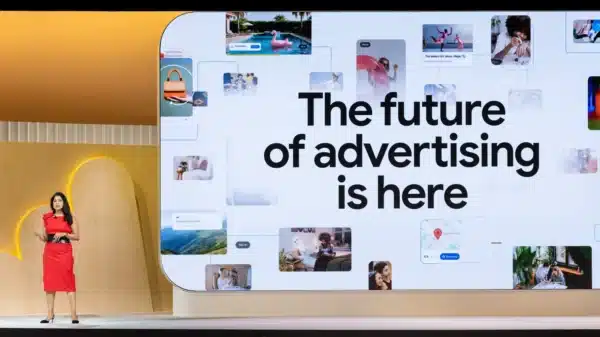
In case you missed it, Google’s latest major updates were announced on 20 May.
Among the many changes were:
The Intelligent Search Box – built for conversational, multi-media queries, essentially the new search bar
Universal Cart – an AI-powered shopping experience that lets users discover products, monitor prices, add items to cart and check out without needing to visit a website
AI Max coming to Shopping
Lots of shiny new features. Lots of unknowns.
And, for advertisers, a very clear direction of travel.
Google is continuing to move search and shopping away from a static, keyword-led experience and towards a more personalised, AI-assisted buying journey. That does not mean the old world disappears overnight. It does mean the routes to visibility are changing, and brands that still treat Shopping as a feed-upload-and-forget channel are going to feel that change very quickly.
What is already clear is that Google is making AI adoption almost unavoidable for paid visibility.
If your campaign is not using one of Broad Match, Performance Max or AI Max for Search/Shopping, your visibility is likely to be significantly limited in AI Overviews and completely absent from AI Mode.
The traditional “ten blue links” view will still remain. Campaigns that are not running one of those three options above will still be able to serve there, but you should expect impressions to decline.
So what is the real takeaway from all of this, beyond AI?
Your Shopping Feed.
The feed is, and will remain, one of the most powerful tools you have for unlocking sales.
In fact, as Google’s search surfaces become more automated, more conversational and more personalised, the quality of your feed becomes even more important. It is no longer just a back-end file that helps your products appear in Shopping results. It is becoming the source material Google uses to understand your products, match them to intent, answer questions and shape the customer journey.
AI may be the headline. But the feed is still the foundation.
The Role of Your Shopping Feed
Your Shopping Feed will now increasingly act as a “data warehouse” for Google’s AI surfaces to draw from, provided you enable AI Max.
Over the past year, this direction has become more and more obvious, particularly with the launch of “Product Highlight” and “Product Detail” attributes.
Google wanted to create more ways for advertisers to include conversational product information in the feed — information that traditional attributes could not properly capture.
That point matters.
Traditional Shopping Feed optimisation has often focused on titles, descriptions, categories, product types, IDs, images, prices and availability. All of those still matter. They are not going away. But they were built for a more structured search environment where Google needed to classify a product and match it to a query.
The new AI-led environment needs more than classification. It needs context.
It needs to know not just what the product is, but why someone might buy it. Who it is suitable for. Which questions customers ask before purchasing. Which products work together. Which items are genuinely popular. Which documents explain the finer details. Which product page or product variant might best serve a particular user.
With the announcement that Shopping is also getting an AI Max upgrade, Google wants to make use of your largest data set of unique, personalised product information. It can then use AI targeting to rewrite titles and descriptions, and even send users to a different product page if it believes that page is more relevant.
All of this points to one thing: Google is going all in on personalised search and shopping experiences, and it wants to use the largest possible source of information to serve those journeys properly.
If your feed is not optimised, do not expect AI Max to perform miracles.
Just because you have bought your ticket into AI surface visibility, that does not mean you can blindly expect conversions to come through.
AI Max for Shopping will not save you without an optimised feed, a strong offer, solid unit economics, a clean and simple conversion experience, and the right campaign structure.
That is the part some advertisers will not want to hear.
AI does not remove the need for fundamentals. It raises the cost of ignoring them.
If your product data is thin, inconsistent, outdated or missing key buying information, Google has less to work with. If your images are poor, your product titles are unclear, your descriptions are generic and your conversion journey is clunky, AI Max cannot simply invent a strong commercial experience on your behalf.
It can amplify good inputs.
It can expose weak ones too.
Preparing Your Feed for AI Maximum Visibility
Assuming you already have the basics in place — optimised titles, descriptions, images and additional images, product types, Google product categories, and proper ID usage — these are the four biggest new attributes you should be integrating to strengthen your Shopping Feed and turn it into a serious performance asset.
Before getting into the attributes themselves, it is worth reframing how to think about feed optimisation.
This is no longer just a technical job for whoever manages Merchant Center.
It is a commercial, creative and customer insight job.
The best feeds will pull information from product teams, customer service teams, sales teams, reviews, store teams, on-site search data, merchandising teams and performance marketing teams. Your feed should not be limited to what sits in a product database. It should reflect the real questions, objections and motivations that influence whether someone buys.
That is why these new attributes matter.
They give brands more ways to tell Google what customers actually care about.
1. Question and Answer
This powerful new attribute allows you to add up to 30 pairs of Q&As, with up to 10,000 characters.
Think about all the useful information that already exists across your business: on-site FAQs, customer reviews, customer service calls, live chat questions, in-store feedback and sales team insights.
That information should not be sitting in disconnected places. Feed it back into your Shopping Feed.
The aim is to answer questions before the user even has to ask them.
If someone is unsure about sizing, materials, installation, care instructions, compatibility or suitability, your feed can now help Google understand and surface those answers more effectively.
This is one of the most useful additions because buying decisions are often slowed down by small uncertainties.
Will this fit my space?
Is this suitable for sensitive skin?
Does this work with my existing device?
Can it be washed?
How long does delivery take?
Is it safe for pets?
Will it arrive assembled?
Is this better for beginners or advanced users?
In a traditional product feed, there are limited places to include those answers naturally. The product description can carry some of the load, but it often becomes messy if you try to force every possible question into one block of copy.
The Question and Answer attribute gives that information a more natural home.
For advertisers, the opportunity is to stop thinking of FAQs as purely on-site content. They should now be part of your paid visibility strategy.
A good starting point would be to audit:
Customer service tickets
Live chat transcripts
Product reviews
On-site FAQs
Return reasons
In-store questions
Sales team feedback
Organic search queries
Internal site search data
The best Q&As should not be written from what the brand wants to say. They should come from what the customer keeps asking.
That is where the value is.
2. Document Link
Have genuinely useful information sitting inside a PDF on your site?
You can now upload up to five PDFs into the feed.
Think spec sheets and dimensions. Sizing guides. Care instructions. Assembly manuals. Ingredient breakdowns. Warranty terms. Anything a buyer might read before they commit.
AI surfaces can pull from these documents to answer questions that your product page may currently bury three clicks deep.
The fewer reasons a shopper has to leave, search elsewhere or compare uncertain information, the better.
This is especially important for considered purchases.
If you sell furniture, appliances, electronics, tools, beauty products, supplements, flooring, outdoor equipment, baby products or anything with technical specifications, customers often need more than a nice product title and image before they buy.
They need reassurance.
They need detail.
They need proof that the product fits their situation.
For example:
A sofa buyer may need dimensions, fabric details, delivery information and care instructions.
A skincare buyer may want ingredient information, usage guidance and suitability by skin type.
A tech buyer may need compatibility details, warranty terms and setup guides.
A DIY buyer may need installation instructions and measurements.
A parent may need safety certifications, washing instructions and material breakdowns.
A Document Link attribute gives Google more depth to work with when interpreting and presenting your product. It can help AI-led shopping surfaces answer more specific questions without forcing the user to hunt around your site or leave the journey entirely.
This does not mean uploading any PDF you can find and hoping for the best.
The quality of the document matters. A useful PDF should be clear, accurate, easy to understand and genuinely helpful at the point of purchase. If the document is outdated, overly technical, poorly formatted or inconsistent with your product page, it could create confusion rather than confidence.
Treat these documents as part of your conversion experience.
Because, increasingly, they are.
3. Related Product
Think of this as a way to show natural product pairings.
Complete the room. Suggest the upsell. Support the cross-sell.
By telling Google which SKUs belong together, you help it build a clearer understanding of how your product families relate to each other.
For example, the sofa with the matching ottoman. The camera with the compatible lens. The skincare product with the right complementary serum. The dining table with the chairs that actually match.
If this is done properly, I would expect to see AOV lifts without necessarily increasing spend, while also giving the algorithm a clearer map of how your catalogue connects.
This is a big opportunity for brands with product ecosystems.
Most ecommerce businesses already understand related products on-site. They use “complete the look”, “you may also like”, “frequently bought together” or “pairs well with” modules to increase order value and help customers navigate the range.
Now that logic can become part of the feed.
And that matters because Google does not always understand your catalogue the way your merchandising team does.
It may know that two products sit in the same category. It may not know that they are designed to be bought together. It may understand that both items are popular. It may not understand that one is an accessory, one is a refill, one is a replacement part or one is the natural next step after the first purchase.
The Related Product attribute helps you give Google that context.
Used well, it can support:
Bundles
Upsells
Cross-sells
Product families
Matching sets
Complementary accessories
Replacement parts
Refills and replenishment
Room or outfit completion
This is not just about increasing average order value. It is also about helping Google understand the architecture of your product range.
For high-SKU retailers, that can be extremely valuable.
The stronger Google’s understanding of your catalogue connections, the better chance it has of serving products in combinations that make sense for the user.
4. Popularity Rank
This is arguably the most interesting attribute on the full list.
You can now assign your own score out of 100 to show a product’s popularity compared with the rest of your product set.
This could be a very useful way to highlight hero SKUs, bestsellers and “selling fast” stock.
Used properly, it gives Google another signal around which products matter most within your catalogue. That does not mean every product should be given an inflated score. The value here comes from being intentional and honest about which products have momentum, demand or strategic importance.
Popularity is a powerful buying signal.
Customers want to know what other people are choosing. Google wants to understand which products are most likely to satisfy demand. Brands want to push the products that have the best chance of converting profitably.
This attribute sits right in the middle of those three interests.
There are a few ways brands could think about it:
Bestselling products
Products with strong conversion rates
Items with high review volume
Products with strong margins and proven demand
Seasonal hero products
New launches gaining momentum
Stock that is genuinely selling quickly
However, this needs discipline.
If every product is given a popularity score of 95, the attribute becomes useless. If the score has no relationship to real commercial performance, it risks muddying the signal. If popularity is not updated regularly, the feed may start telling Google yesterday’s story.
The best use of Popularity Rank will likely come from brands that combine merchandising judgment with performance data.
It is not just a label.
It is a signal.
And, like all signals, it needs to be clean.
Other Attributes Worth Considering
You could also integrate the new “Variant Option” and “Item Group Title” attributes where appropriate.
These are especially useful for high-SKU catalogues where product families include lots of variants, such as furniture, fashion, beauty, homeware and tech. Together, these complete the full list of new attributes announced.
This matters because product variants are often where feeds become messy.
A product may come in multiple sizes, colours, finishes, materials, capacities or configurations. From a customer perspective, this is useful. From a feed perspective, it can quickly become confusing if the structure is not clean.
Variant Option and Item Group Title attributes can help Google better understand the relationship between the parent product and its variations.
For example:
A sofa available in five fabrics and three sizes
A laptop available in different memory and storage options
A skincare product available in multiple strengths
A dress available in different colours and sizes
A dining chair sold in different finishes
A rug available in multiple dimensions
For high-SKU retailers, this is not a small detail. Better variant clarity can improve how products are interpreted, grouped and served, especially in more personalised shopping experiences.
If Google is going to decide which product variation is most relevant to a user, the feed needs to make those variations easy to understand.
Why This Matters More in an AI-Led Shopping Environment
The bigger picture is that Google is trying to reduce friction in the buying journey.
AI Overviews, AI Mode, Universal Cart, AI Max and richer Shopping experiences are all part of the same direction: help users discover, compare, evaluate and purchase with less effort.
That creates opportunity.
It also creates risk.
If Google has rich, accurate, structured product data from your competitors and only thin, generic information from you, which brand do you think is easier to understand? Which product is easier to recommend? Which offer is easier to match to a specific user need?
This is why feed optimisation is becoming a visibility issue, not just a performance issue.
A weak feed may not only hurt conversion rate. It may reduce how often your products are considered for AI-led placements in the first place.
The advertisers that win will be the ones that treat the feed as a strategic asset.
Not admin.
Not hygiene.
Not something to fix only when products are disapproved.
A strategic asset.
Closing Thoughts
Personalisation across search experiences is only going to continue and become more advanced.
For brands that are cautious about adopting AI Max, there are guardrails you can put in place:
Text Guidelines – an explicit list of phrases to avoid
Brand inclusions and exclusions
Final URL expansion is optional, meaning you can run a text-customisation-only campaign
Alternatively, you do not have to adopt any of these features, although that will likely come at the cost of future visibility.
However, none of these AI surface changes reduce the need to optimise your Shopping Feed with these new attributes.
The more data you can give Google to improve its understanding of your products, the better — regardless of which type of search result you appear in.
Your feed is no longer just a technical requirement. It is becoming one of the main sources of truth for how Google understands, matches and sells your products across AI-led shopping experiences.
That means ecommerce brands need to start treating feed work with the same seriousness they give to creative, landing pages, bidding and campaign structure.
Because the feed is where all of those things increasingly connect.
It tells Google what the product is.
It tells Google who it is for.
It tells Google what questions customers ask.
It tells Google which products belong together.
It tells Google which items matter most.
And in an AI-led search environment, that understanding is everything.
The brands that optimise their feeds are the brands that will win.